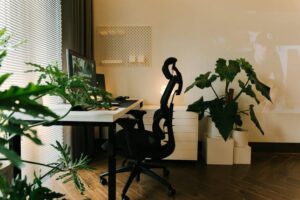
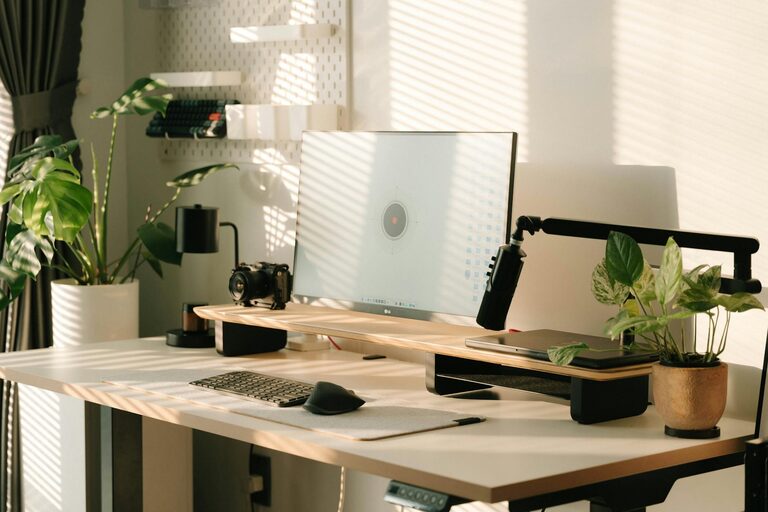
Creating a productive home workspace is essential as more people embrace remote work or flexible schedules. A well-designed area can improve concentration, reduce stress, and increase overall work satisfaction. If you’re looking to enhance your home office, this guide offers practical tips to help you create a space that supports your best work.
Choose the Right Location
Quiet and Low-Distraction Area
Select a part of your home that is relatively quiet and away from heavy foot traffic. This reduces interruptions and helps maintain focus. If space is limited, consider using noise-canceling headphones or room dividers to minimize distractions.
Good Lighting is Key
Natural light is ideal because it reduces eye strain and lifts mood. Position your desk near a window if possible. If natural light isn’t available, invest in quality lighting like daylight-balanced bulbs or adjustable desk lamps to ensure your workspace is well-lit.
Invest in Comfortable Furniture
Ergonomic Chair and Desk
Comfortable furniture can have a significant impact on productivity and health. An ergonomic chair supports good posture and reduces back pain. Pair it with a desk that suits your height and offers enough space for your equipment.
Maintain Proper Posture
Arrange your monitor at eye level and keep your feet flat on the floor or on a footrest. Ergonomic setups prevent fatigue and long-term discomfort.
Organize Your Space
Declutter Regularly
Keep only essentials on your desk and store other items in drawers or shelves. A tidy area eases mental clutter and makes it easier to focus.
Use Storage Solutions
Use bins, trays, or drawer organizers to keep supplies neat. Labeling can also help in quickly finding what you need and keeping everything in order.
Optimize Technology Setup
Reliable Internet Connection
Ensure your internet is fast and stable to avoid interruptions during calls or when accessing cloud services.
Efficient Equipment Layout
Place your computer, keyboard, mouse, and other devices within comfortable reach to reduce strain and improve workflow.
Cable Management
Use cable ties or organizers to manage cords and avoid a messy appearance that can be distracting.
Set Daily Boundaries and Routines
Create a Work Schedule
Define your working hours and take breaks regularly. Having a routine helps your mind switch between work mode and relaxation time.
Separate Work from Personal Space
If possible, keep your workstation distinct from areas used for leisure. This separation signals your brain when it’s time to focus.
Personalize to Stay Motivated
Add Inspiring Elements
Incorporate personal touches like photos, artwork, or plants. These can make your workspace more inviting and boost creativity.
Maintain Good Air Quality
Plants not only add beauty but can also improve air quality. Additionally, make sure your workspace is well-ventilated for comfort.
Use Productivity Tools and Techniques
Digital Tools
Calendar apps, task managers, and focus timers can help keep you organized and on track with deadlines.
Time Management Techniques
Methods like the Pomodoro Technique (working in focused intervals with breaks) can improve concentration and prevent burnout.
Regularly Review and Adjust
Reflect on What Works
Periodically assess your setup and habits. Adjust your workspace or routines as needed to maintain or improve productivity.
Stay Flexible
Your needs may change over time. Stay open to rearranging your space or updating equipment to keep your home office efficient.
—
Creating a productive home workspace doesn’t require expensive renovations or fancy gadgets. By focusing on comfort, organization, and personal preferences, you can build an environment that supports effective and enjoyable work. Try implementing these tips one at a time to find what works best for you.