Creating a productive home workspace is essential in today’s flexible work environment. Whether you’re working remotely full-time, freelancing, or just need a quiet area for your personal projects, having the right setup can make a big difference in your focus and efficiency. Here’s a detailed guide with tips to help you design a home workspace that supports your productivity and well-being.
Choose the Right Location
The first step is finding the best spot in your home for your workspace. Ideally, you want an area with:
– Minimal distractions: Choose a quiet corner or room away from heavy foot traffic or noisy appliances.
– Good natural light: Position your desk near a window if possible. Natural light can improve mood and reduce eye strain.
– Enough space: Make sure the area can comfortably fit your desk, chair, and any equipment you need.
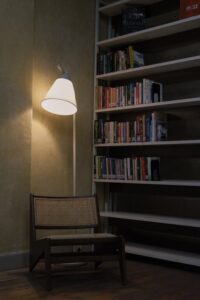
If space is limited, consider creative options like a foldable desk, a reclaimed corner, or even a niche with shelving.
Invest in Comfortable Furniture
Comfort plays a significant role in maintaining productivity throughout the day. Prioritize furniture that supports good posture and reduces fatigue.
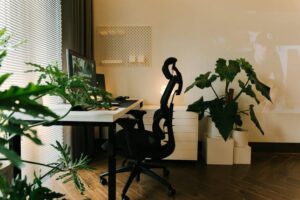
– Ergonomic chair: Look for a chair with adjustable height, lumbar support, and comfortable cushioning.
– Appropriate desk height: Your desk should allow your elbows to rest at a 90-degree angle when typing.
– Footrest: If your feet don’t touch the floor comfortably, a footrest can help reduce strain.
Remember, spending a little extra on quality ergonomic furniture often pays off by preventing discomfort and boosting work stamina.
Organize Your Workspace Efficiently
Clutter can distract and stress you out. Keep your workspace organized with these ideas:
– Use storage solutions: Shelves, drawers, and filing cabinets help keep papers and supplies tidy.
– Cable management: Use cable clips or sleeves to avoid tangled cords.
– Minimalist essentials: Keep only the items you regularly use on your desk. Store extras elsewhere.
– Desk organizers: Trays, pen holders, or small baskets can keep small items orderly.
A clean, streamlined setup encourages focus and helps you find what you need quickly.
Optimize Lighting
Proper lighting can reduce eye strain and make the workspace more inviting.
– Natural light first: Utilize sunlight during the day, but avoid glare on your screen.
– Task lighting: A desk lamp with adjustable brightness helps when working in the evenings or darker spaces.
– Avoid harsh overhead lights: Use soft, warm lighting instead to create a calming environment.
Light that can be adjusted to your needs supports comfort and productivity.
Set Up Technology Thoughtfully
Having the right tech tools and a smart layout can boost efficiency.
– Reliable Internet connection: Ensure your Wi-Fi is strong in your workspace or consider wired options.
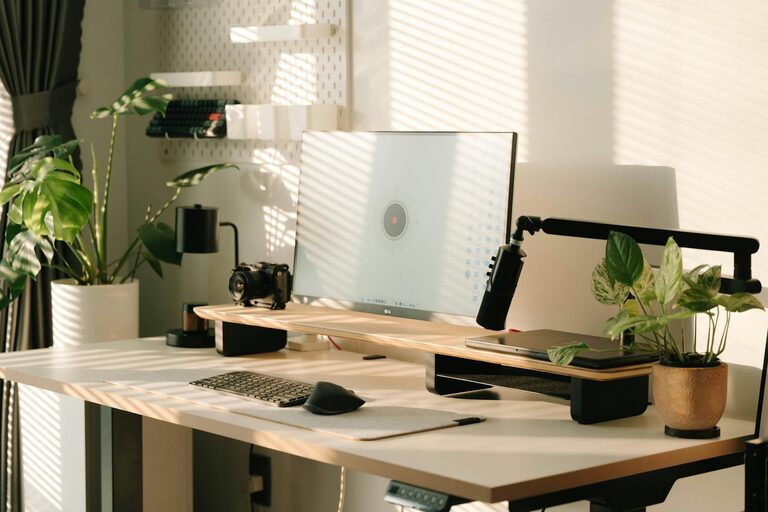
– Monitor setup: If possible, use an external monitor instead of a laptop screen to reduce neck strain.
– Keyboard and mouse: Ergonomic accessories can improve comfort and speed.
– Backup power: A surge protector or UPS can protect your devices and avoid interruptions.
Arrange your devices so you have easy access without cluttering the desk.
Create a Routine and Boundaries
Even the best workspace won’t help if you don’t manage your time well.
– Set work hours: Define clear start and end times to maintain balance.
– Breaks matter: Take regular breaks to stretch, rest your eyes, and recharge.
– Limit distractions: Inform family or roommates of your schedule to minimize interruptions.
– Separate work and personal zones: If possible, keep your workspace distinct from living areas for mental separation.
Good habits complement your physical setup for sustained productivity.
Add Personal Touches
Your workspace should feel inviting and motivate you.
– Plants: Adding greenery can improve air quality and create a calm atmosphere.
– Artwork or photos: Decorate with items that inspire but don’t distract.
– Comfort items: A cozy throw or a favorite mug can make work time more pleasant.
Small personal touches help make your workspace a place you enjoy spending time.
Maintain Cleanliness Regularly
Finally, schedule time to tidy up your workspace each day or week.
– Wipe down surfaces.
– Organize any clutter.
– Check that cables and equipment are in good order.
A well-maintained workspace reduces stress and keeps you ready to focus at any moment.
—
By thoughtfully designing your home workspace with these tips, you’ll create an environment that supports focus, comfort, and productivity—helping you do your best work every day.