Creating a productive home workspace is essential for anyone working remotely or managing tasks from home. A well-organized and comfortable workspace helps improve focus, reduce distractions, and maintain a healthy work-life balance. Whether you have a dedicated room or a small corner, these tips will guide you in setting up an environment where you can work efficiently and comfortably.
Choose the Right Location
Selecting the right spot in your home for your workspace is the first step. Ideally, find a quiet area with minimal foot traffic and noise. Avoid places that are too close to busy or noisy parts of the house, like the kitchen or living room. Natural light is a bonus—near a window if possible—to help keep you alert and energized throughout the day.
Invest in Ergonomic Furniture
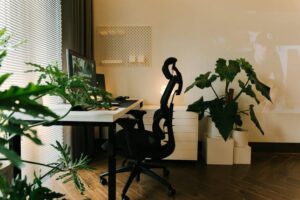
Comfort is key when working long hours. Choose an ergonomic chair that supports your lower back and encourages good posture. Your desk should be at a height where your arms can rest comfortably while typing, and your feet should rest flat on the floor or on a footrest. Look for adjustable furniture if you want to alternate between sitting and standing during the day.
Optimize Lighting
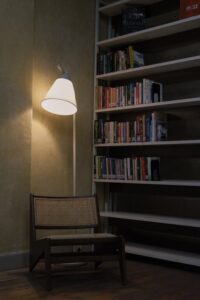
Proper lighting reduces eye strain and maintains energy levels. Use a combination of natural light and task lighting. Position your desk so that sunlight doesn’t cause glare on your screen. A good desk lamp with adjustable brightness settings can help during cloudy days or evening work.
Organize Your Workspace
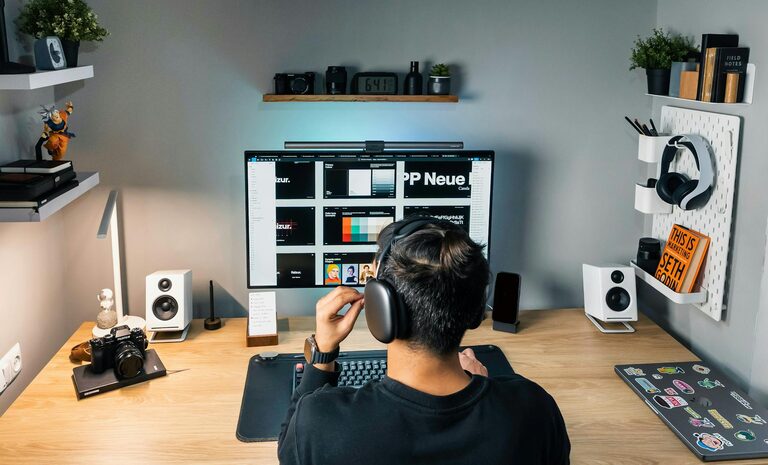
A clutter-free environment promotes better focus and productivity. Use shelves, drawers, and storage bins to keep supplies and paperwork neatly stored but within reach. Keep only essential items on your desk. Regularly declutter to maintain an orderly workspace.
Minimize Distractions
Home environments can present many distractions. Use noise-canceling headphones if noise is an issue. Set clear boundaries with family or housemates about your working hours and need for quiet. Consider using apps or tools that block distracting websites or notifications during work time.
Personalize Your Space
Adding personal touches can make your workspace inviting and motivating. Plants, artwork, or photos that inspire you can boost your mood. However, avoid overdecorating to the point where the space feels cluttered or distracting.
Maintain a Consistent Routine
Designate your workspace as a place for work only. This helps your brain associate the space with productivity. Start and end your day with consistent routines that include setting up and tidying your desk. Taking short breaks away from your workspace can also improve focus.
Keep Technology Efficient and Organized
Ensure your computer, printer, and other devices are set up ergonomically and function well. Invest in necessary accessories like a good keyboard, mouse, or monitor riser. Hide cables using clips or channels to keep the area neat and prevent accidents.
Pay Attention to Air Quality and Temperature
Good air circulation and a comfortable room temperature help you stay alert. Open a window periodically or use an air purifier if needed. Avoid too hot or cold environments as they can affect concentration and comfort.
Incorporate Movement and Stretching
Since working from home often means less movement, integrate short stretching or walking breaks into your day. Standing or moving around every hour can reduce stiffness and improve circulation.
By thoughtfully designing your home workspace with these tips, you create an environment that supports your productivity and well-being. Small adjustments can make a big difference in how you feel and perform throughout your workday. Start with one or two changes and build from there for lasting improvements.